
SQL Server Triggers
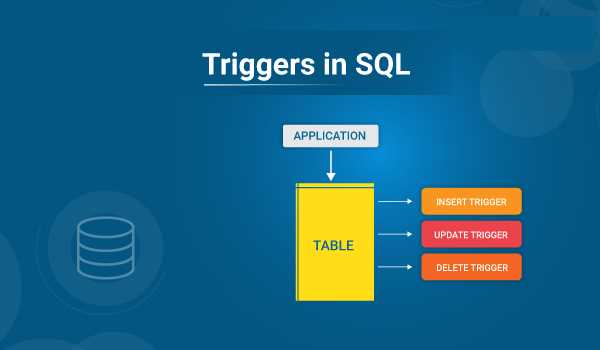
SQL triggers are procedural code that is automatically executed in response to certain events in a specific table or database view. These events can also be
INSERT, UPDATE, DELETE operations, or specific data-modification conditions.
Create SQL Trigger
The SQL CREATE TRIGGER statement is used to create SQL Triggers and the
ALTER TRIGGER is used to update the created SQL TRIGGERs
Syntax-
USE Database_Name
GO

CREATE TRIGGER trg_Name ON [table_Name]/[view_Name]
BEFORE/AFTER INSERT/UPDATE/DELETE
AS
BEGIN
-- SQL statement here
END
Uses of SQL Triggers
Enforcing Business Rules
- Triggers can impose complex business rules and data integrity constraints that cannot be enforced using built-in constraints (such as foreign key and check constraints) provided by the database management system (
DBMS). - For example, if certain conditions are not met, the trigger can inhibit an
INSERTorUPDATEoperation, ensuring data integrity.
Auditing and Logging Changes
- Triggers are often used to track changes made to data in a database.
- They can log information about who made the change, what data was changed, when the change occurred, and provide a history of changes for compliance or troubleshooting.
Automating repetitive tasks
- Triggers can enable operations whenever a data change occurs.
- For example, if an order is canceled, the trigger can automatically update the relevant tables or send notifications to the relevant parties.
Maintaining Derived Data
- Triggers can automatically maintain derived data or summary information.
- For example, when a new invoice is entered, the trigger can update the total amount due to the customer based on all unpaid invoices.
Complex Integrity Constraints
- Triggers can impose complex integrity constraints with multiple tables or conditions.
- This may include cross-table validation or ensuring that specific conditions are met before data manipulation is allowed.
Components of SQL Triggers
Trigger Event A specific event that fires a trigger, such as an INSERT, UPDATE, or DELETE.
Trigger Condition (Optional) A condition that must be true for the trigger to work.
Trigger Action The code or actions executed when the trigger fires. This can be an SQL statement or a call to a stored procedure.
Example-
Creating an SQL Triggers
Here is an SQL Trigger created that inserts that data automatically into
UserHistory table when deleted from Users table,
USE MyCollegeDb
GO

CREATE TRIGGER trg_UserHistory ON [Users]
AFTER DELETE
AS
BEGIN
SET NOCOUNT ON;

-- SQL query for insert deleted data from Users table into UserHistory table
INSERT INTO UserHistory(UserID, UserName, UserContact, Email, DateOfBirth, UpdateDate)
SELECT UserID, UserName, UserContact, Email, DateOfBirth, GETDATE() FROM [deleted]

SET NOCOUNT OFF
END
In the example above-
trg_UserHistory is the name of the Trigger.
AFTER DELETE means that this trigger will automatically fire when any record/data will deleted from
Users table
SET NOCOUNT ON/OFF is used to ignore the counting of affecting rows in the table by SQL statements.
Note: you can aslo add multiple events in a trigger like- INSERT, UPDATE, DELETE
Syntax-
USE Database_Name
GO

CREATE TRIGGER trg_Name ON [table_Name]
AFTER INSERT, UPDATE, DELETE
AS
BEGIN
-- SQL statement here
END
Where to See the Created Triggers
To see the created above trigger in the SQL Server Management System(SSMS), follow the given steps,
Open and Login into SSMS -> Expant the
Database folder from the Object Explorer in the left window -> Your Database Name folder (MyCollegeDb) -> Table name on which you created the trigger -> Expand the
Triggers folder -> here your created trigger on this table will appear.
SQL triggers are powerful tools for enforcing rules, managing changes, automating operations, and maintaining data integrity in database systems. They provide a way to extend DBMS functionality to meet specific application requirements that are not easily met by standard SQL implementations alone
Also, Read: Define the PIVOT Table with examples in SQL server


Leave Comment